Before you begin
Who: any tester with a wallet holding the token they give. Network: Kaspa Testnet-10. Tests: none in the pack yet; record what you see under the test IDs you are given.
You need: Chrome with Kastle on Testnet-10, connected to https://lightsea.io; some of the token you give (PVCU, PECO, LSTEST or another standard token); and KAS for the deposits and, with Both at once, for the purchase itself. KRON tokens can't be swapped.
There is no direct token-for-token market. A swap is two linked orders, with KAS in the middle:
- one order sells the token you give for KAS, on that token's order book;
- the other buys the token you get with that KAS, on its order book.
Each is an ordinary order (Guides 5 to 7 apply to it), and each pays the 0.2% fee.
1. Open Swap and choose the two tokens
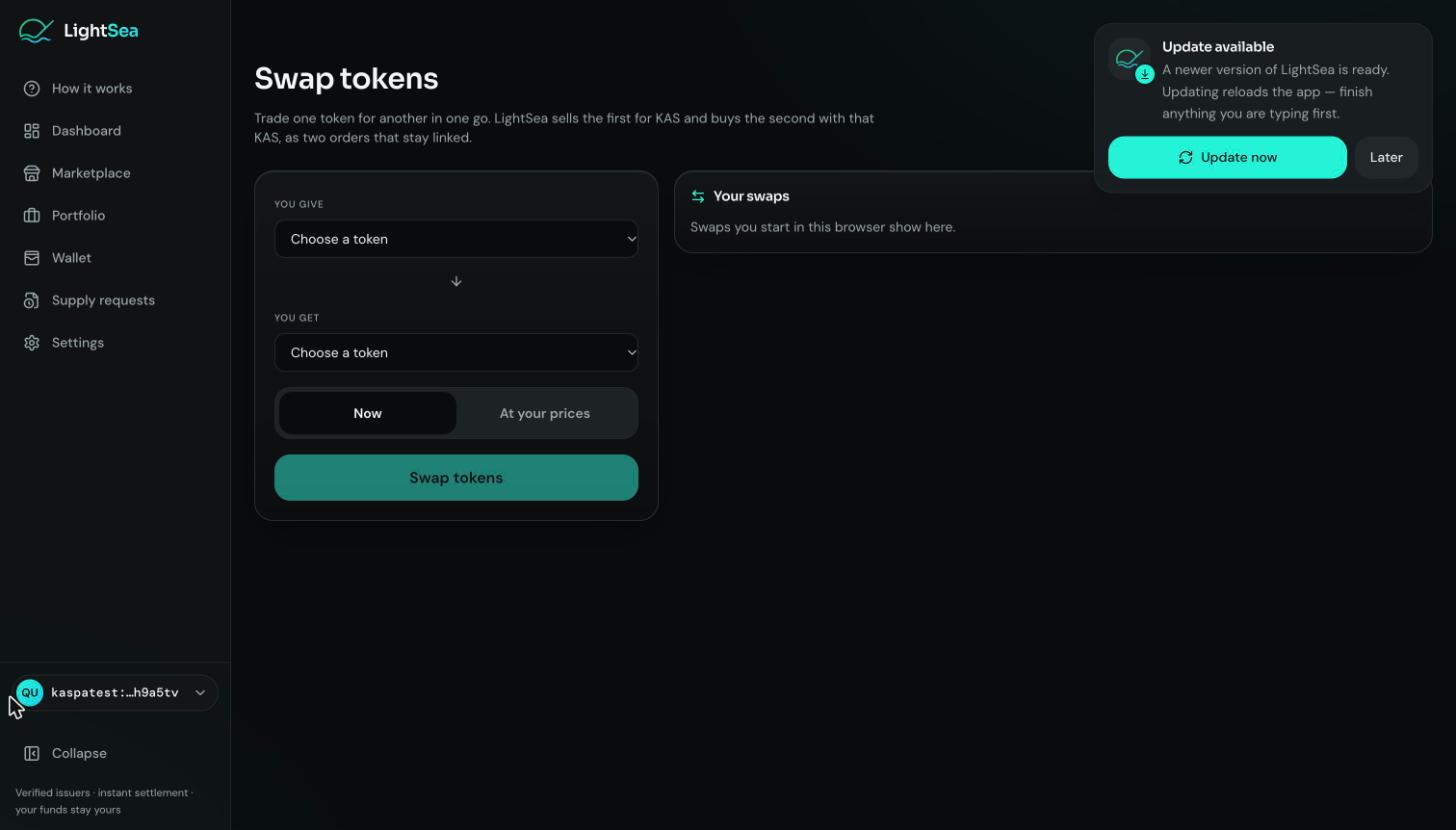
- Open Marketplace and press Swap one token for another (top right). Or, on a token's page, press Swap PVCU for another token under Trade (it names that token). The Swap tokens page opens.
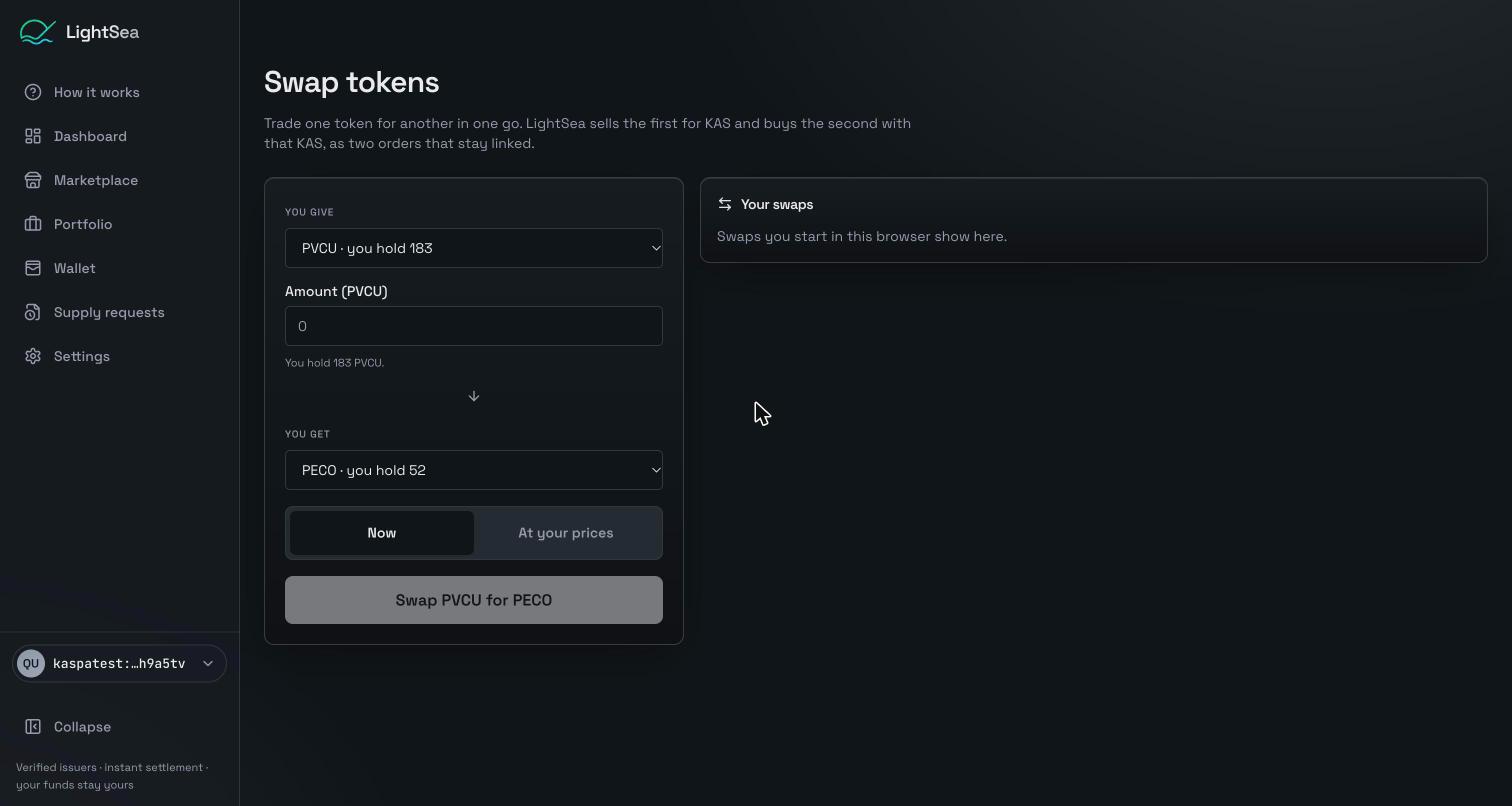
- Under You give, choose the token and enter its amount.
- Under You get, choose the token you want.
2. Choose when it trades
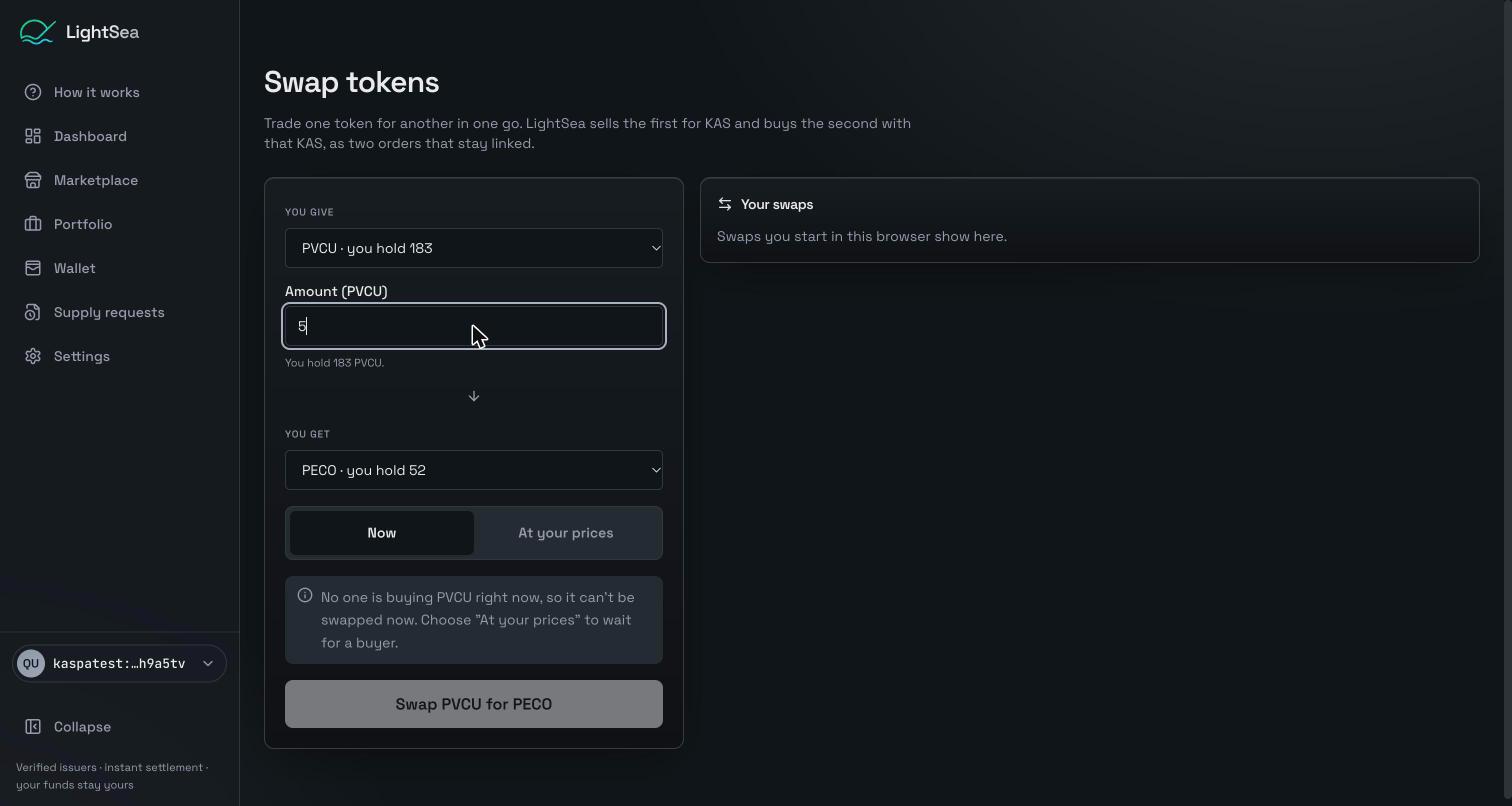
- Now: both orders take today's best offers straight away. Each order takes one offer; whatever that offer can't cover comes back to you. It needs someone buying the token you give and someone selling the token you get. If either side is empty, the page says so and the swap button stays off.
- At your prices: you set the lowest price you accept for the sale (Your price to sell (KAS)) and the highest you pay for the purchase (Your price to buy (KAS)). Both orders wait on the order books until someone takes them.
3. Read the breakdown
Once your prices are in, the page shows both steps and the totals. The figures are the worst case: better offers can only help you.
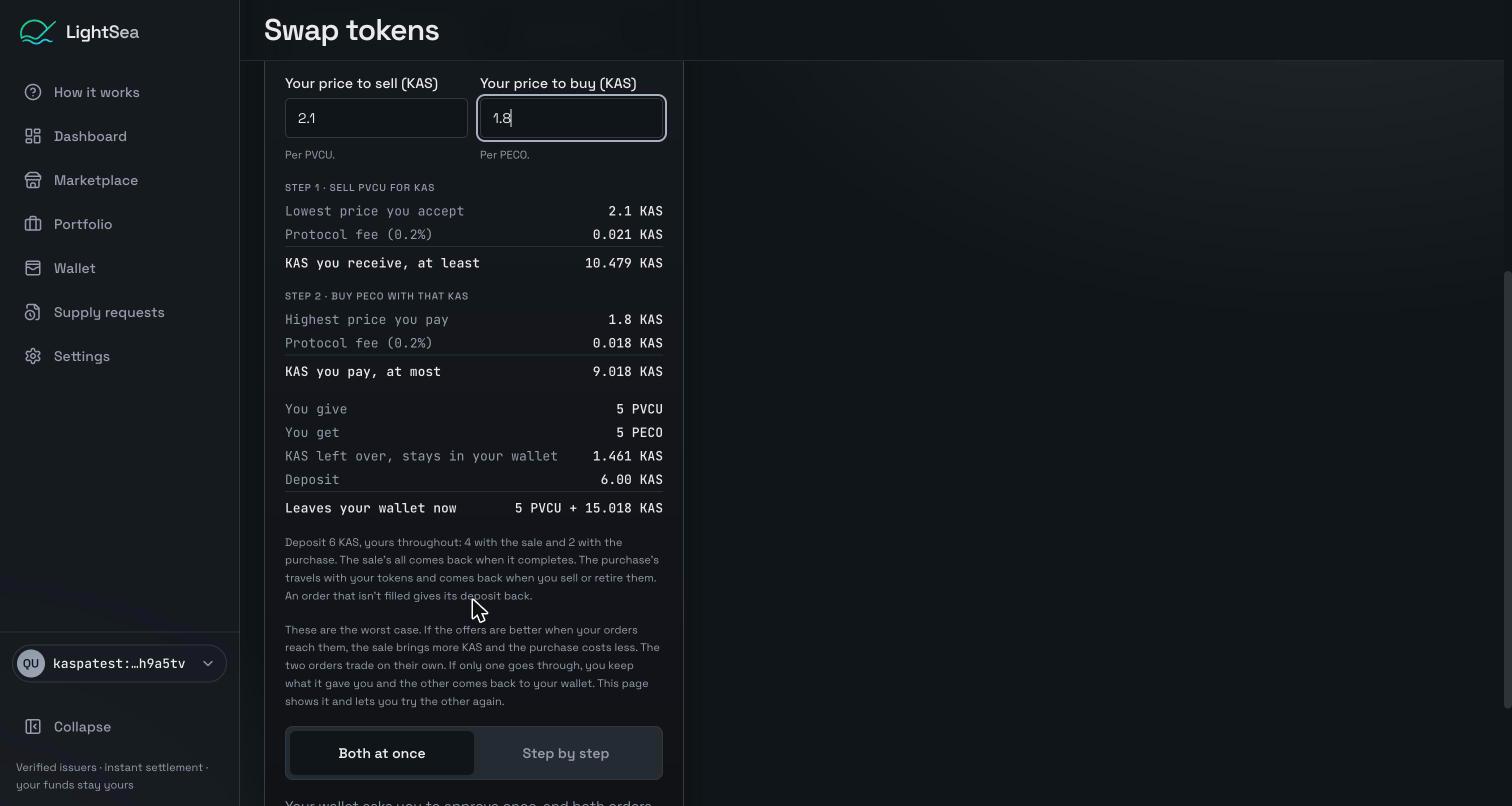
- Step 1 · Sell … for KAS: the lowest price you accept, the 0.2% fee, and the KAS you receive at least.
- Step 2 · Buy … with that KAS: the highest price you pay, the 0.2% fee, and the KAS you pay at most.
- KAS left over: the purchase buys whole units, so a little of the sale's KAS may not be used. It stays in your wallet.
- Deposit 6 KAS, yours throughout:
- 4 KAS goes with the sale. All of it comes back when the sale completes.
- 2 KAS goes with the purchase. It travels with the tokens you get, and comes back when you sell or retire them.
- An order that isn't filled gives its deposit back.
- Leaves your wallet now: the tokens you give, plus the KAS needed up front.
4. Choose how it's sent
- Both at once: one approval. Both orders go out together. The purchase is paid from your KAS straight away, and the sale's KAS replaces it. Your wallet needs the purchase + the 6 KAS deposit + 1 KAS for network fees: here 9.018 + 6 + 1 = 16.018 KAS, of which 15.018 leaves it.
- Step by step: two approvals. The sale goes out first. When its KAS arrives, Your swaps asks you to approve the purchase. Use this when your wallet can't cover the purchase up front.
Then:
- Press the button: Swap … for … (for Both at once) or Sell … (step 1 of 2) (for Step by step).
- Approve in Kastle.
5. Follow it under Your swaps
Your swaps (on the right) shows each swap's two orders: waiting, open, filled or ended, with the KAS each one produced.
Your swaps is kept in this browser only. Each order also shows on its token's trade page under Your orders, where you can cancel it or change its price like any order (Guide 7).
If only one order goes through, you keep what it gave you, and the other comes back to your wallet. The page shows this and lets you try the other side again, or keep the KAS.