Before you begin
Who: any holder of PVCU or PECO (on lightsea.io), then any ProMEX admin (in the ProMEX portal). Tests: RR-01, RR-02, RR-11, RR-12.
You need: Chrome with Kastle on Testnet-10, connected to https://lightsea.io, a wallet holding some PVCU or PECO (buy some first with Guide 5), and a little KAS for the network fee. For the second half, an admin signed in to the ProMEX portal at https://admin.lightsea.io.
Retiring uses tonnes up for good, in the name of a person or organisation (for example "offsetting our 2026 business travel"). It happens in two halves:
- The holder retires the tokens on Kaspa. The tokens are destroyed. This takes one approval in the wallet.
- ProMEX retires the same tonnes in the registry and adds the certificate. This is one action in the ProMEX portal, with no wallet.
The public record page shows both halves.
Part A · The holder
1. Open the token and press Retire
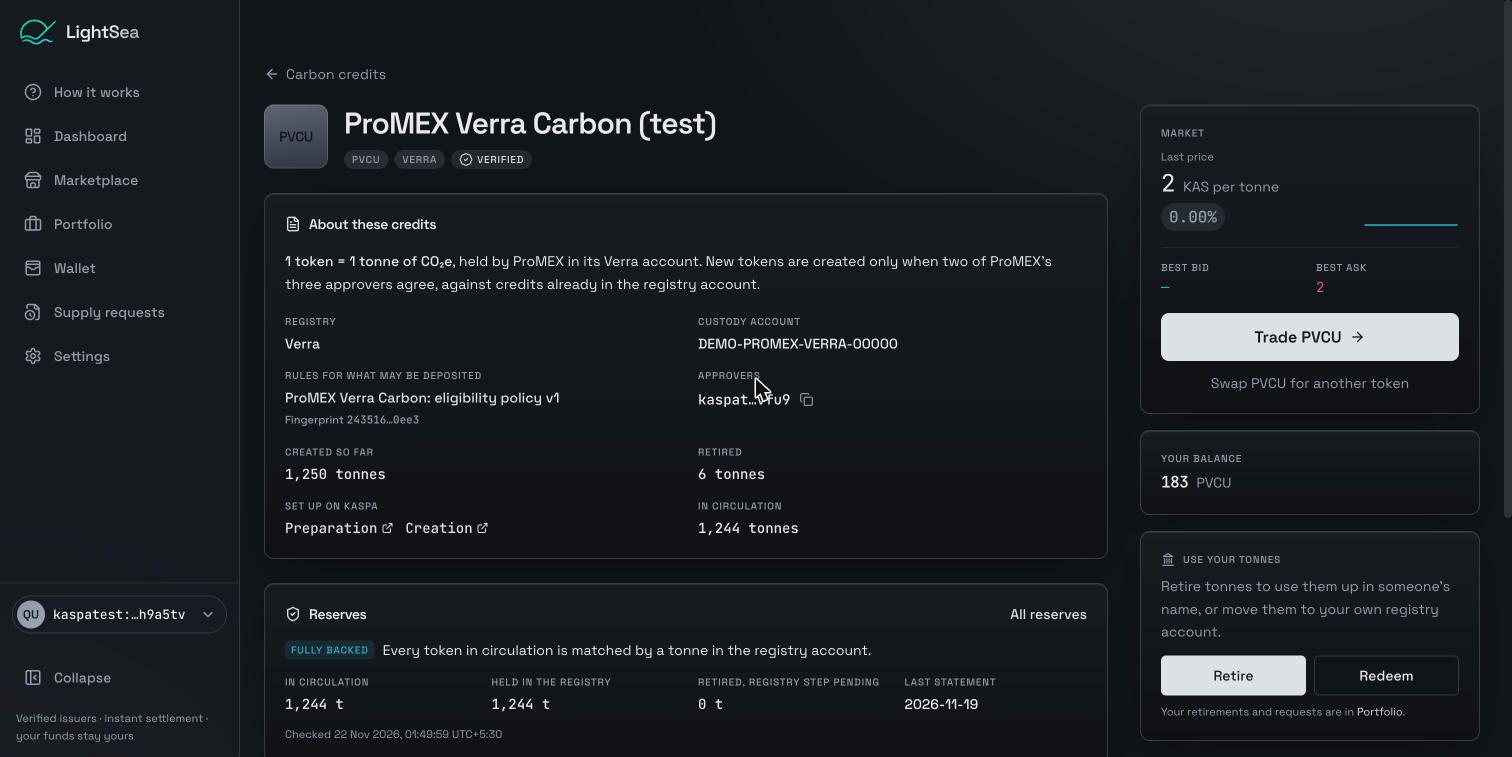
- Open Marketplace › Carbon credits.
- Click the token (here PVCU).
- On the right, find the Use your tonnes box. Your balance is shown just above it.
- Press Retire.
Part A · The holder
2. Fill in the retirement
- Tonnes: whole tonnes, up to what you hold. 1 token = 1 tonne of CO₂e.
- Retired on behalf of: the person or organisation. This name appears on the public record and on the certificate.
- Country: where that person or organisation is based.
- Reason: optional. For example "offsetting our 2026 business travel".
- Tick Retiring can't be undone.
- Press Retire.
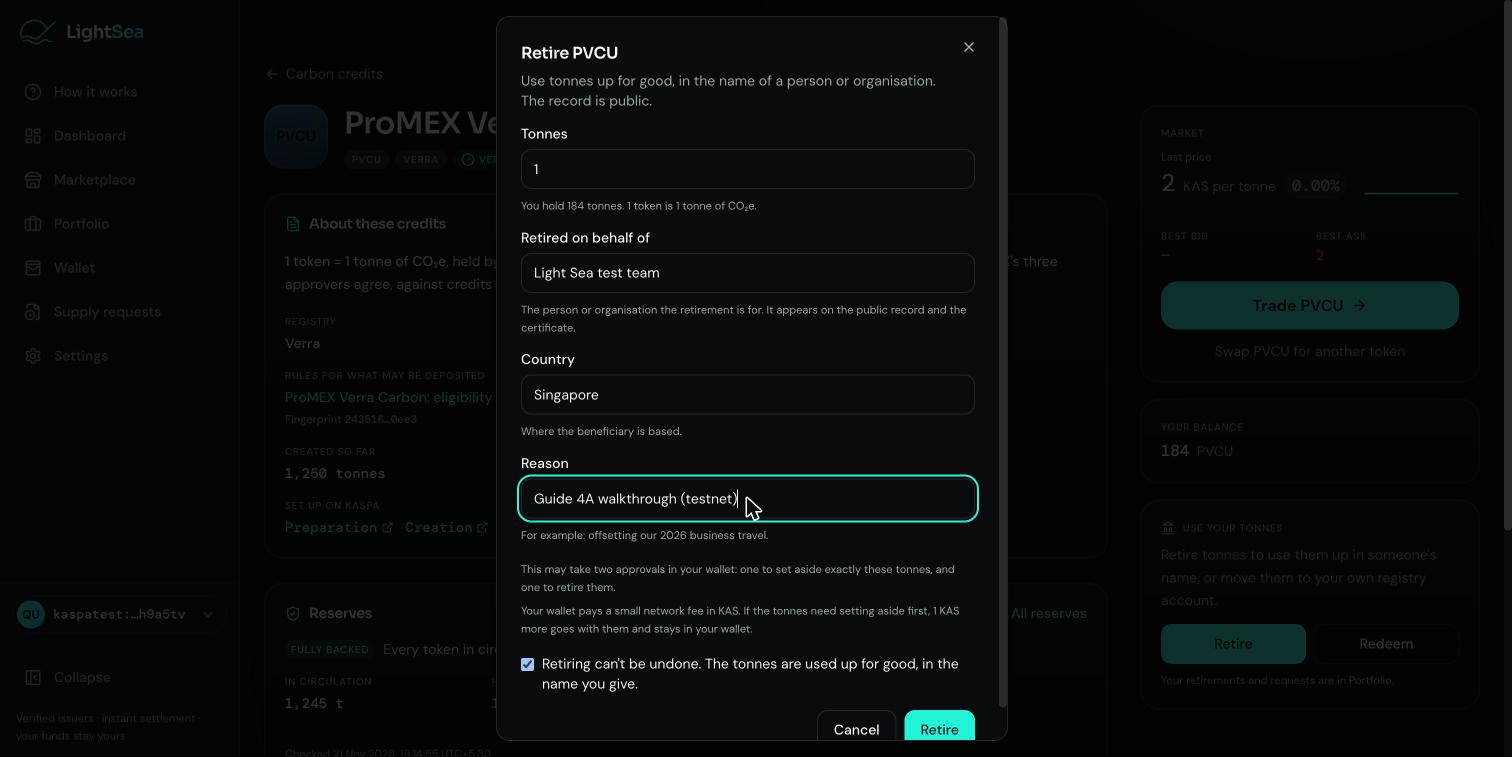
Two approvals or one? Your PVCU can be held in several pieces. If one piece holds exactly the tonnes you retire, you approve once. Otherwise you approve twice: first the app sets aside exactly that many tonnes (1 KAS goes with them and stays yours), then it retires them.
Part A · The holder
3. Approve in your wallet
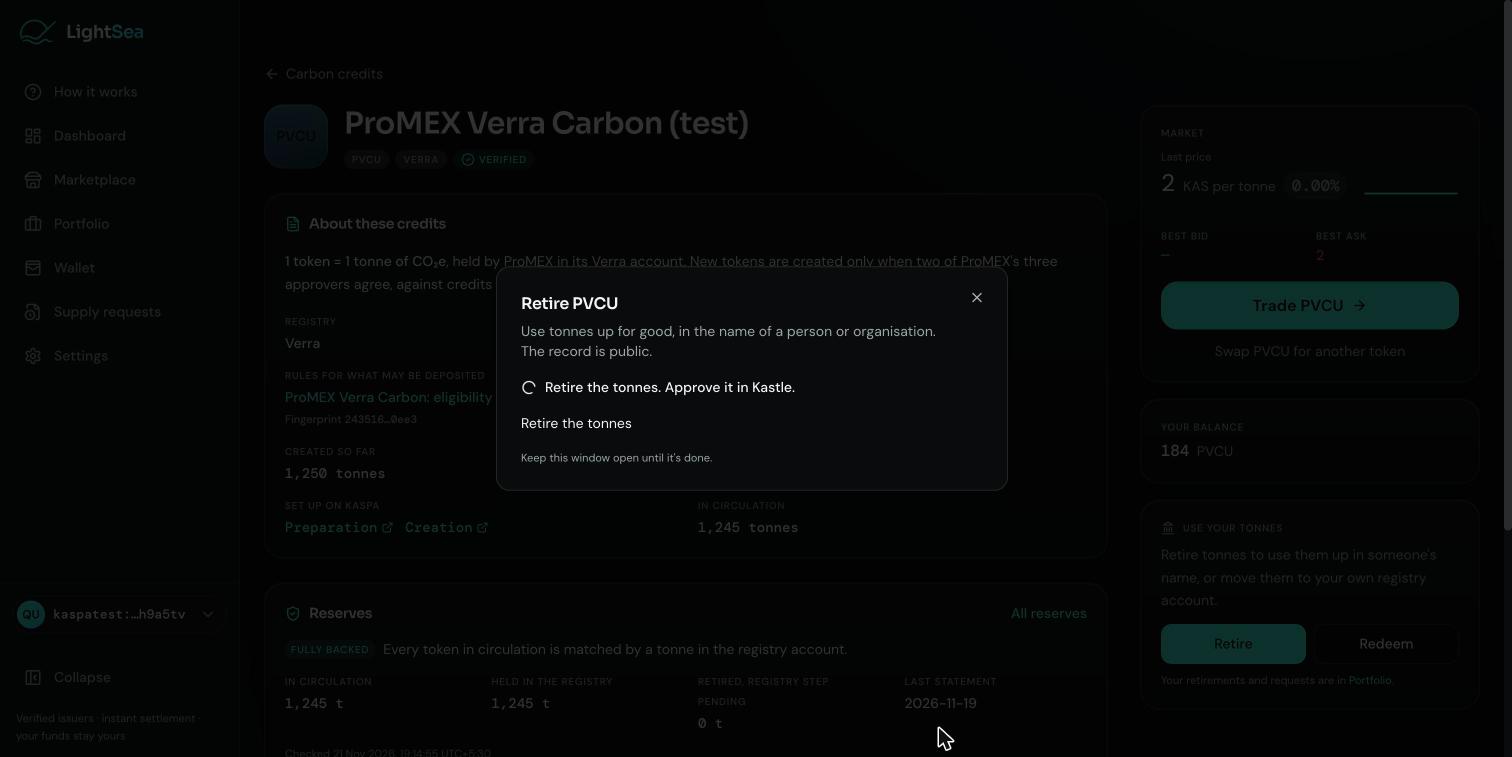
The dialog says "Retire the tonnes. Approve it in Kastle."
- Find the Kastle window. It opens on its own, and it can open behind Chrome.
- Check the request and approve it.
- Keep the Light Sea page open until it finishes.
Part A · The holder
4. Done on Kaspa
The dialog says Retired. It shows a link to the transaction and a See the public record button.
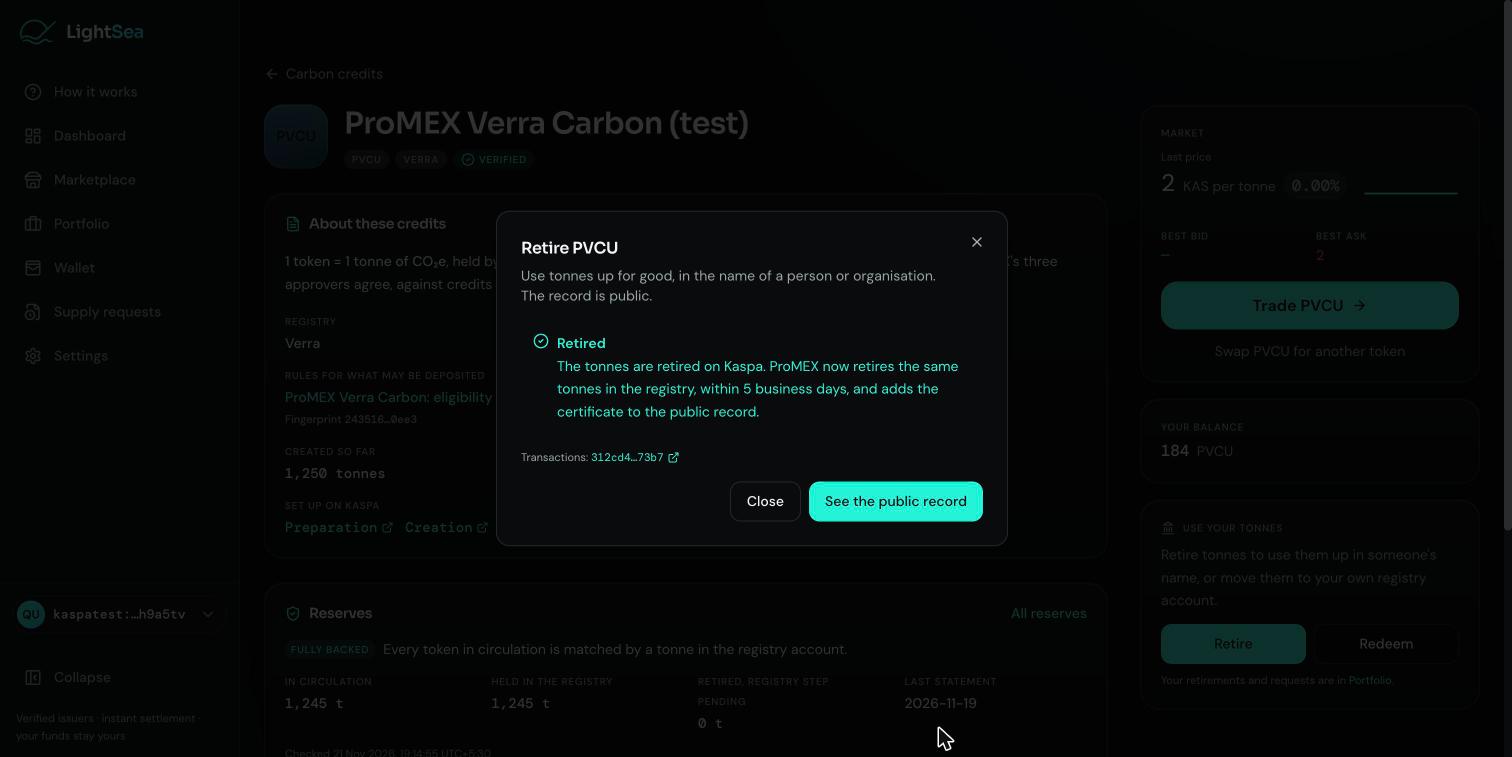
What it cost: only the network fee (about 0.02 KAS here). Your tokens hold some KAS with them, and that KAS is yours (Portfolio › Held with your tokens shows how much). The KAS held with the retired tokens comes back to your wallet in the same transaction (1.98 KAS came back in this run).
Part A · The holder
5. The public record
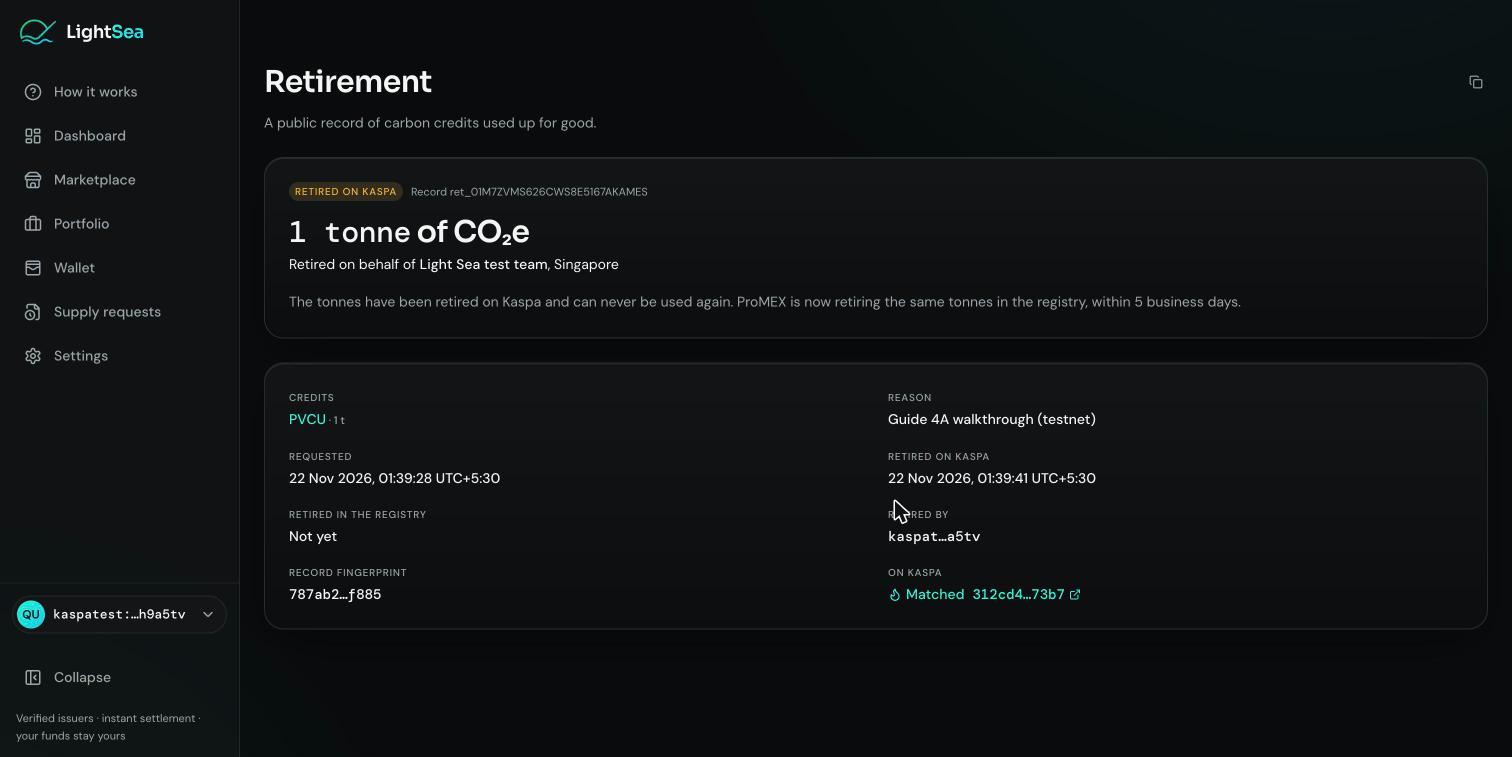
Press See the public record. This page is public: anyone can open it.
Straight after retiring it shows:
- Retired on Kaspa at the top.
- Retired in the registry: Not yet.
- On Kaspa: Matched, with a link to the transaction.
What to check
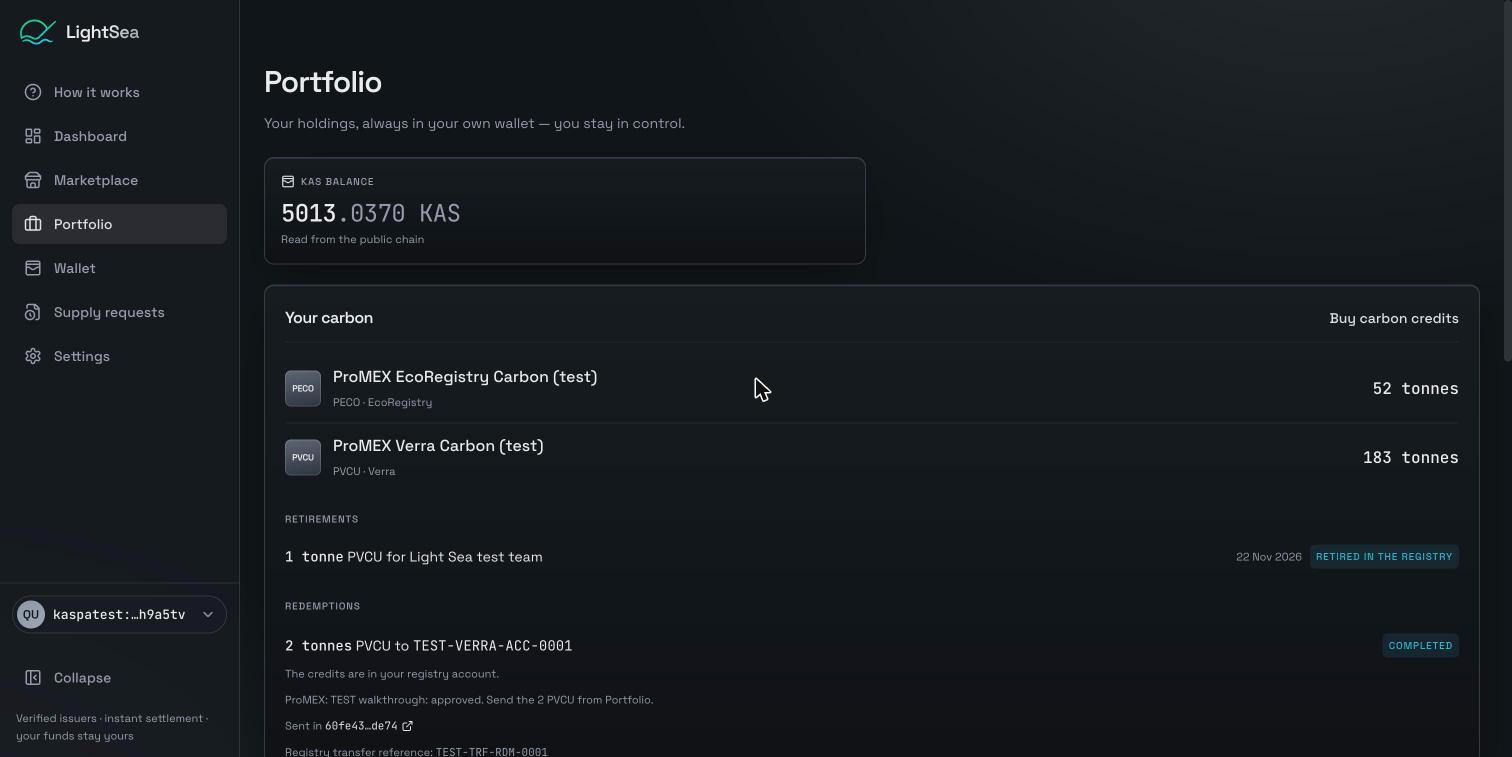
RR-01: Your PVCU balance drops by the tonnes you retired. On the token page, Retired and In circulation change by the same amount. Portfolio › Retirements lists the retirement.
Part B · ProMEX completes it at the registry
6. Find it in the portal
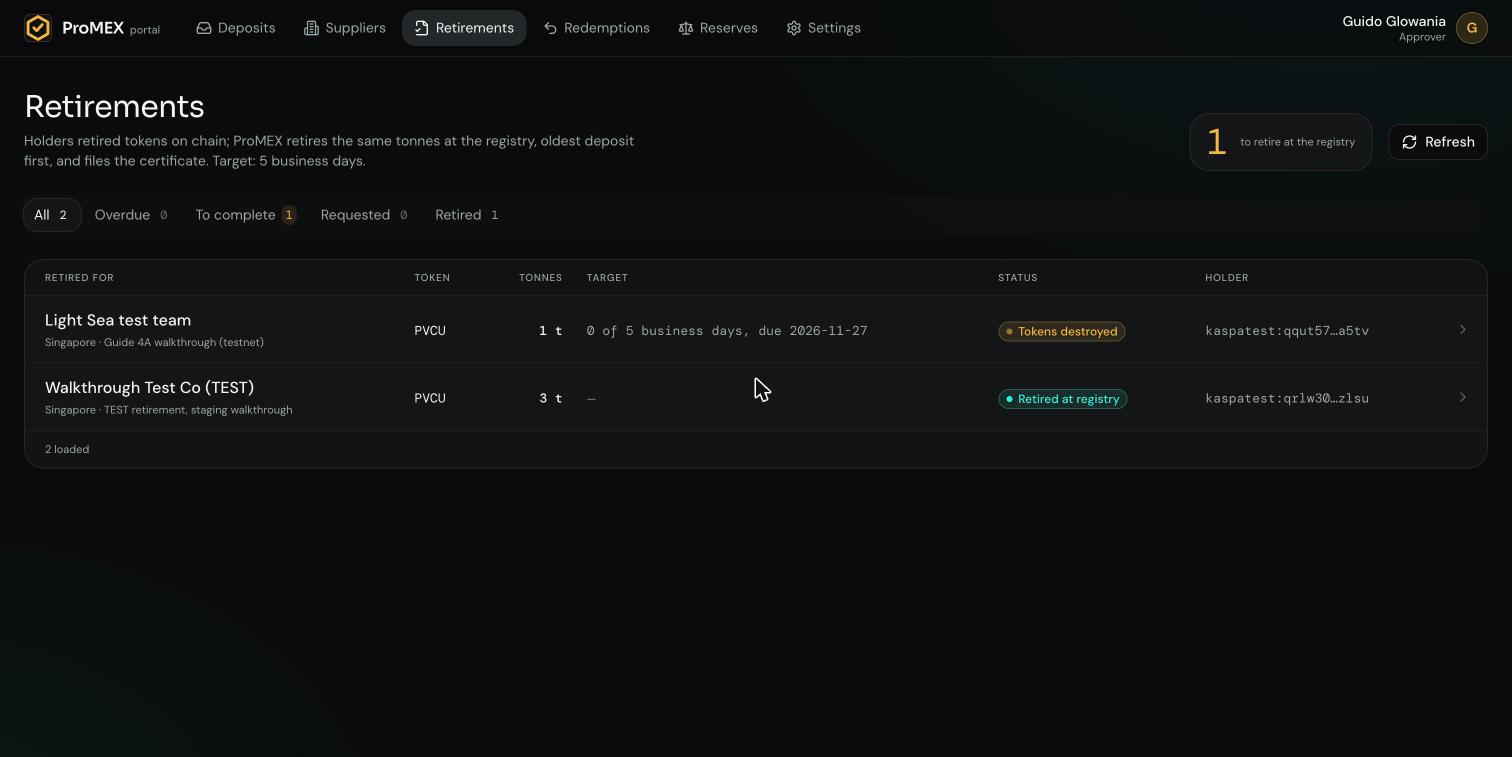
In the ProMEX portal, open Retirements, then the To complete tab. It lists retirements where the holder's tokens are destroyed but ProMEX has not yet retired the tonnes in the registry. Each row shows the target (5 business days) and the due date.
Part B · ProMEX completes it at the registry
7. Retire at the registry, then record it
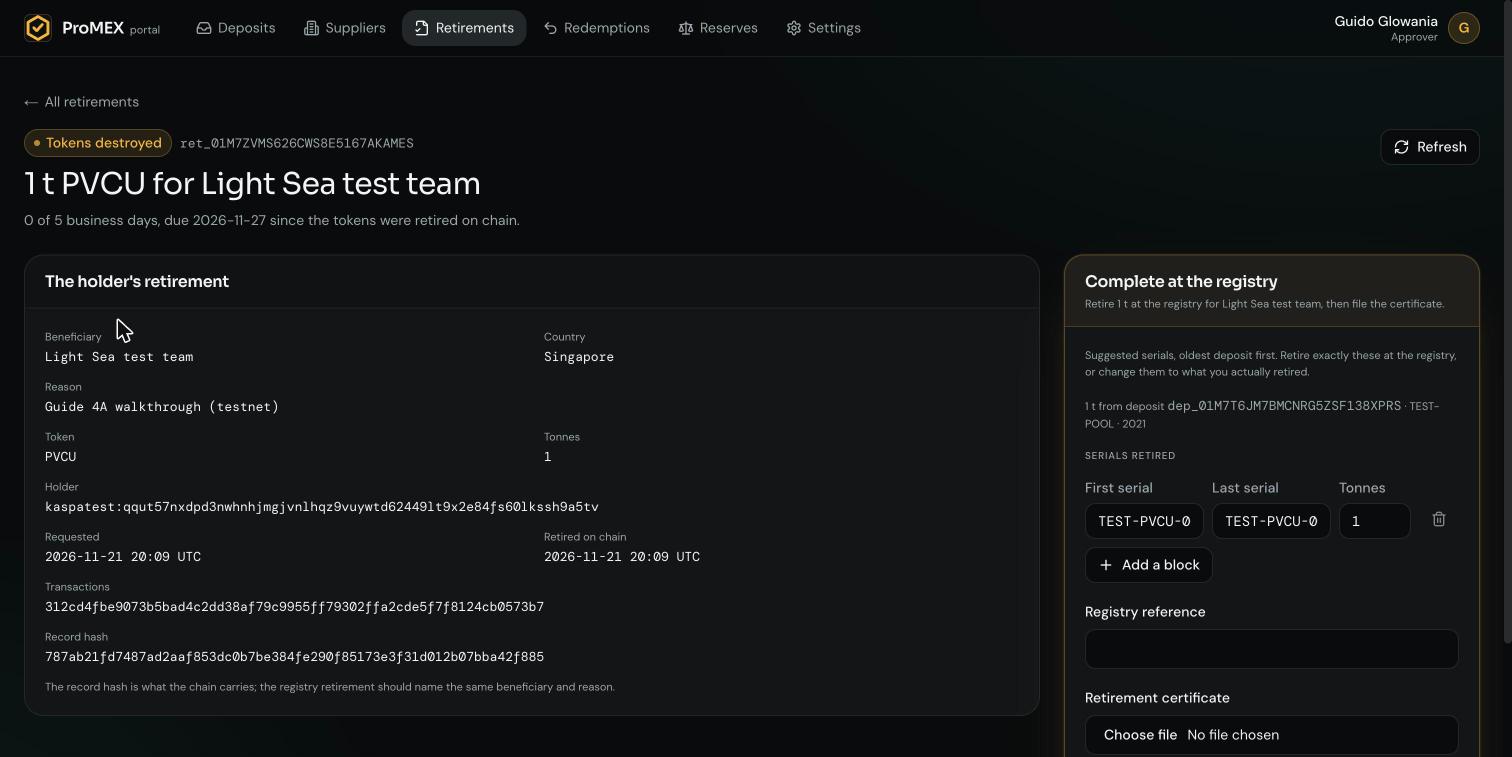
Open the retirement. The left side, The holder's retirement, shows what the holder asked for: beneficiary, country, reason, holder, transaction and record hash. The right-hand panel, Complete at the registry, suggests which serial numbers to retire, oldest deposit first.
- At the registry (Verra or EcoRegistry), retire exactly those serials. Name the same beneficiary and reason. On testnet, skip this: there is no real registry account.
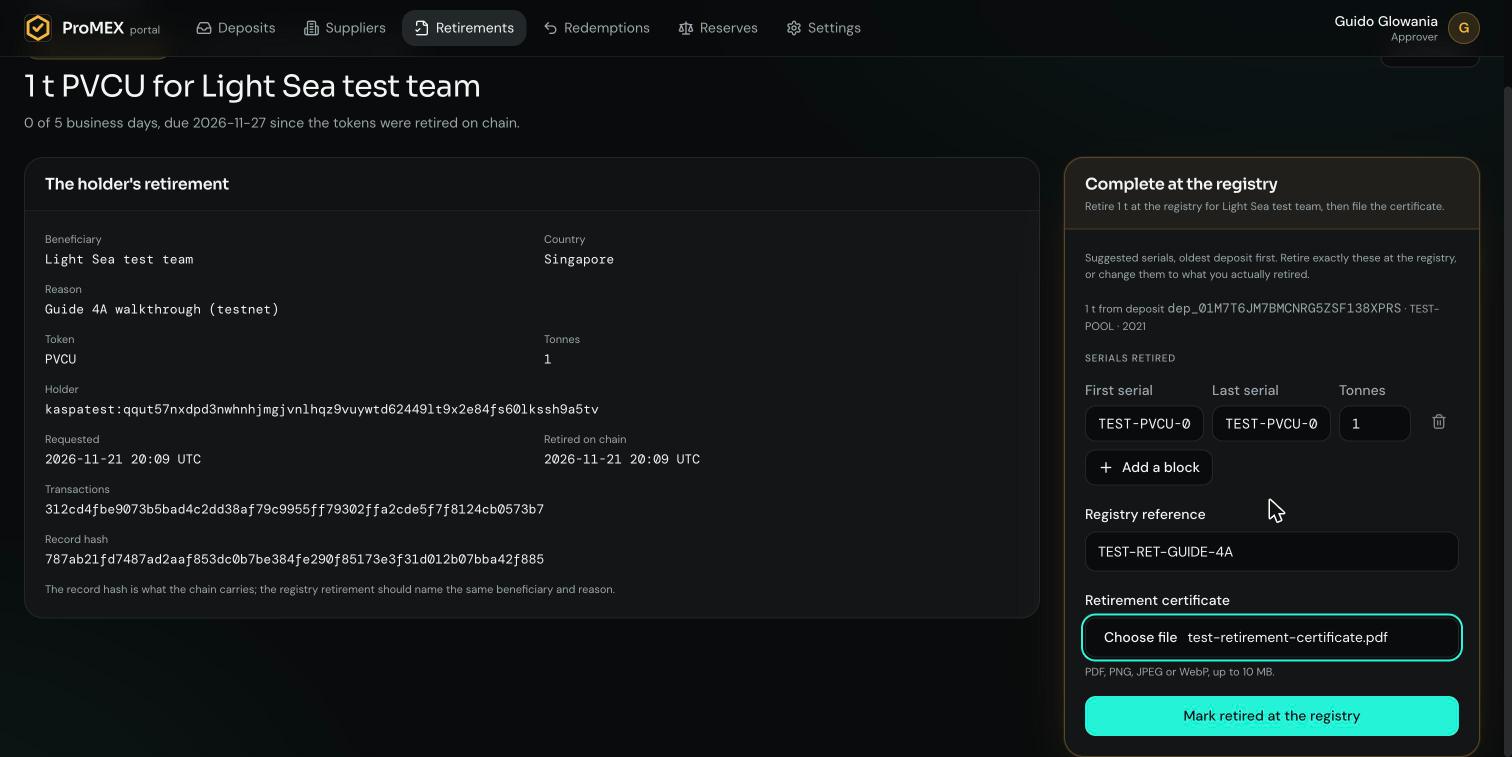
- Back in the portal, if you retired different serials, change them. Press Add a block to add a second range.
- Enter the Registry reference.
- Attach the Retirement certificate (PDF, PNG, JPEG or WebP, up to 10 MB). On testnet, use
test-documents/test-retirement-certificate.pdf. - Press Mark retired at the registry. No wallet approval is needed, because the holder already destroyed the tokens.
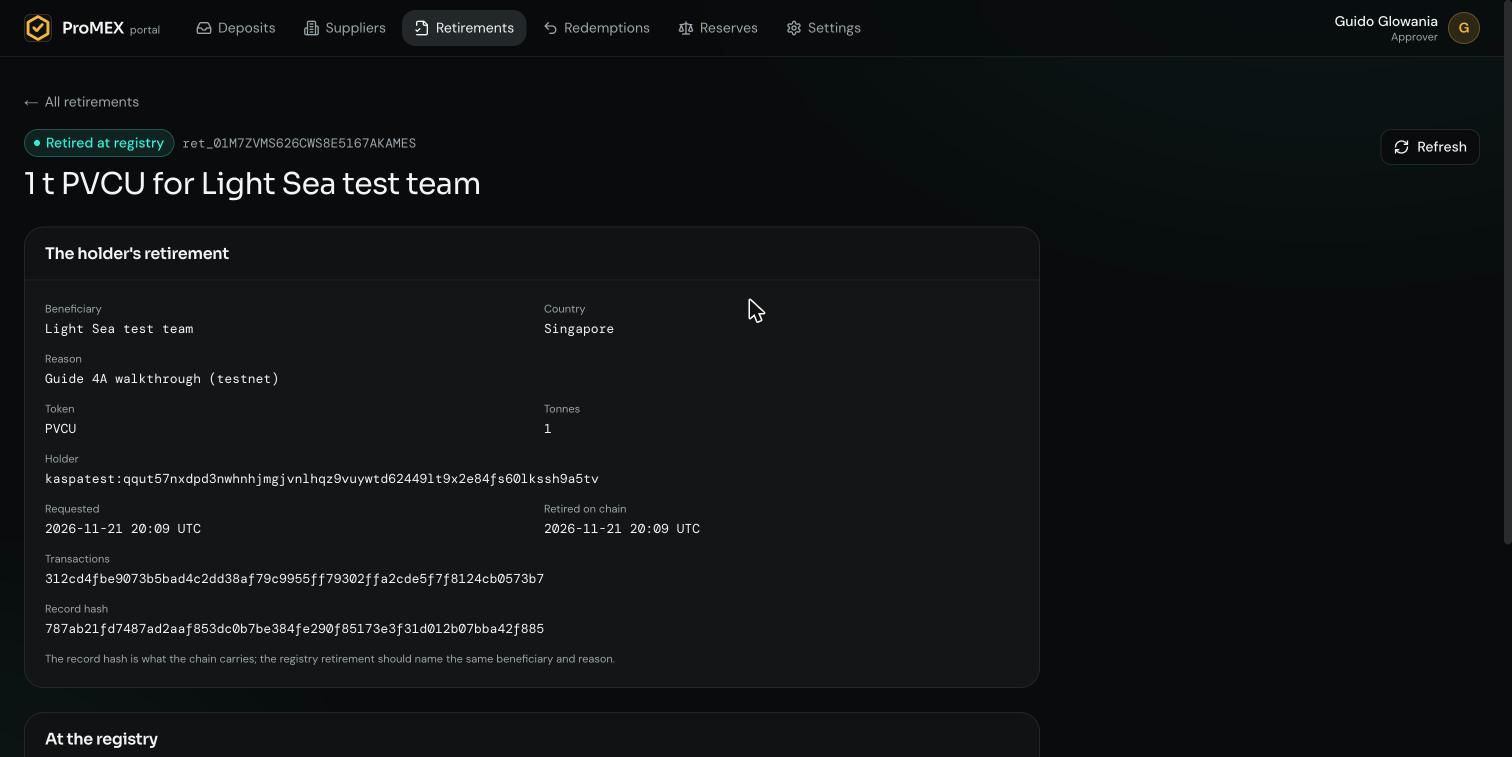
Part B · ProMEX completes it at the registry
8. What everyone sees afterwards
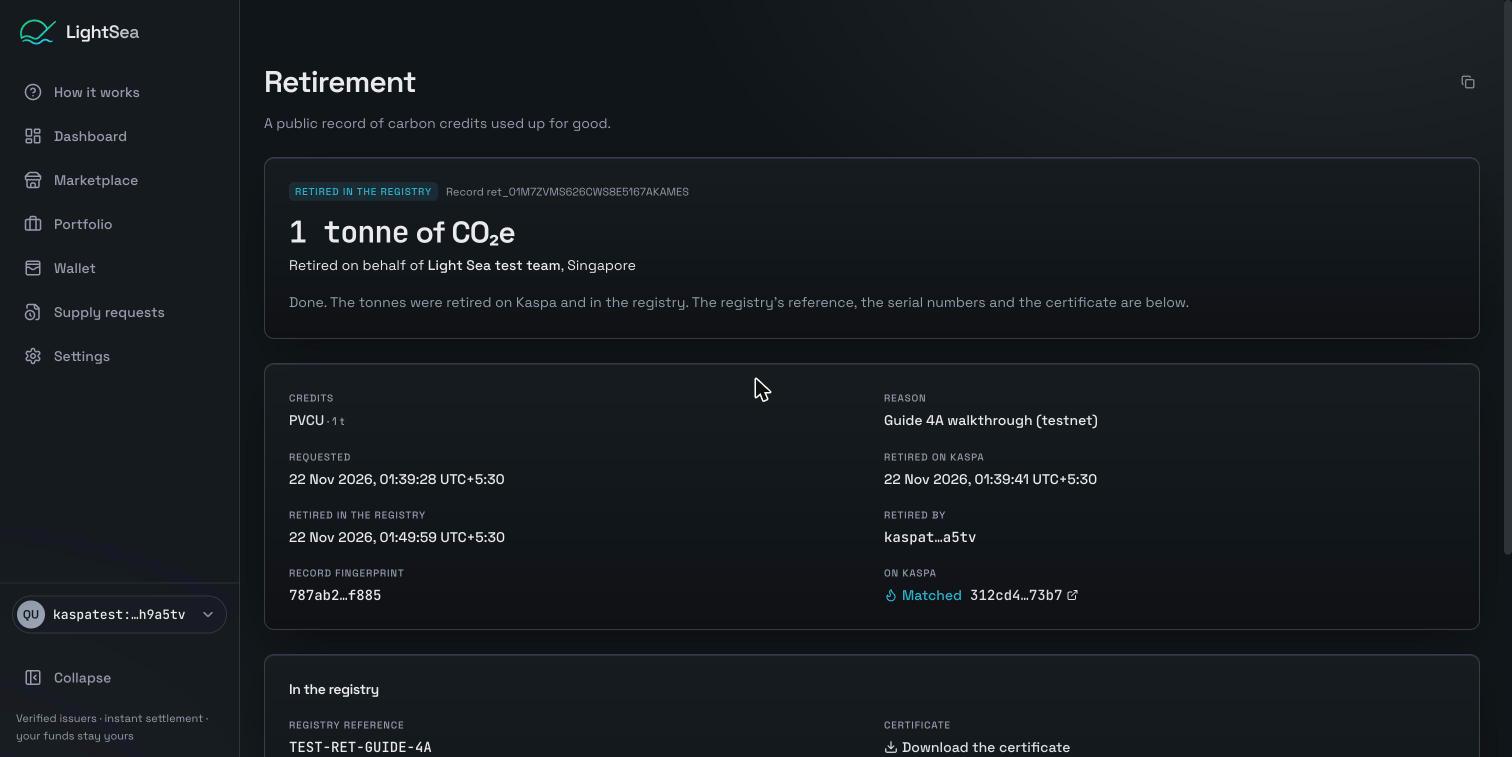
The public record now says Retired in the registry. It shows the registry reference, the serial numbers and Download the certificate.
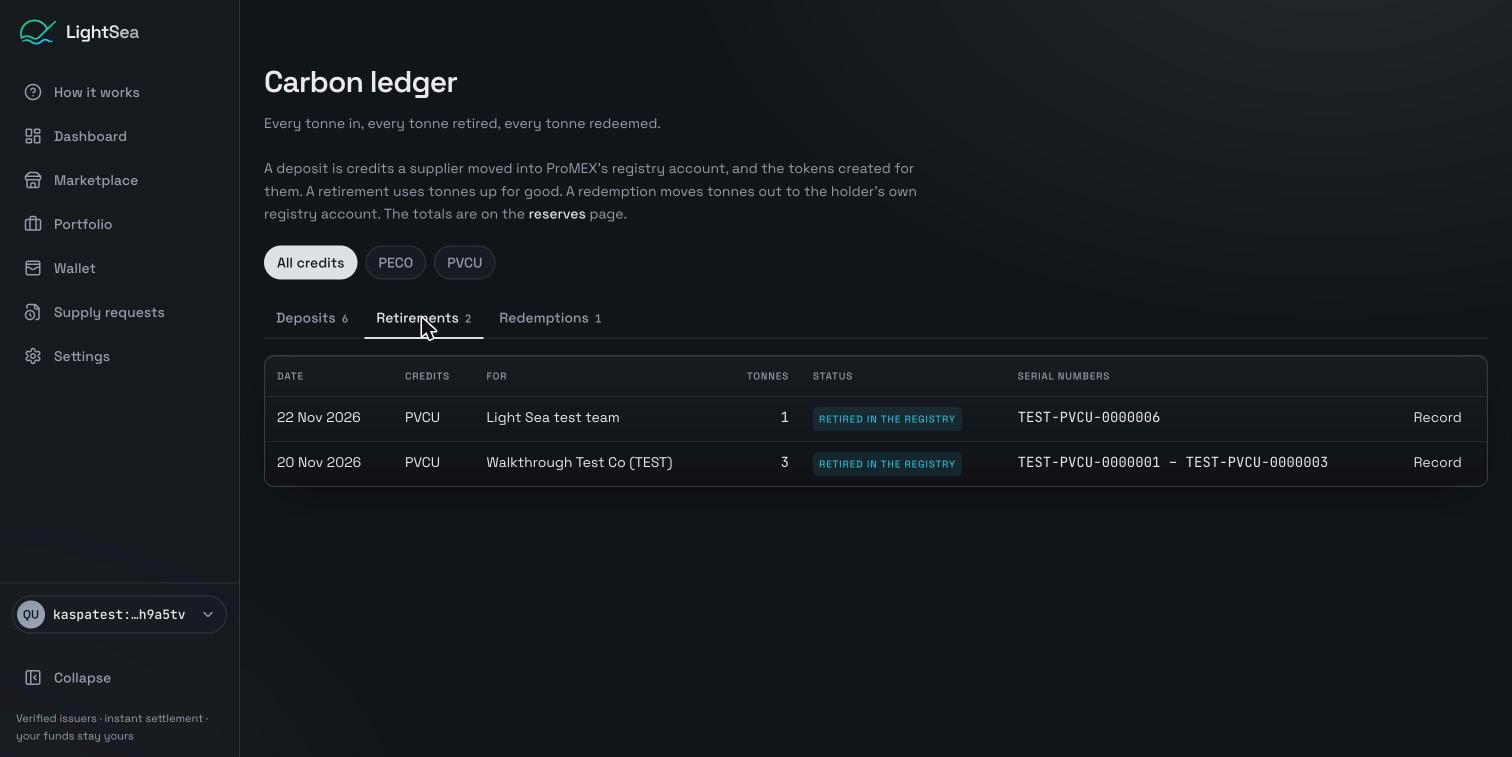
The public Carbon ledger (open it from Marketplace › Carbon credits › See the ledger) lists the retirement under Retirements, with its serial numbers. The holder's Portfolio › Retirements shows Retired in the registry.
What to check (and report if different)
Known issue (fixed, but the fix is not live yet): the public record shows the holder's shortened wallet address (under Retired by). Also, pressing Retire creates a record even if you then reject the wallet prompt. That record stays "Requested" and no tokens are destroyed.