Before you begin
Who: any tester holding the token. Network: Kaspa Testnet-10. Tests: TR-04, TR-05, TR-12, TR-15.
You need: Chrome with Kastle on Testnet-10, connected to https://lightsea.io; some of the token you want to sell; and a little over 4 KAS in the wallet (4 KAS is set aside while your order is open, plus a small network fee).
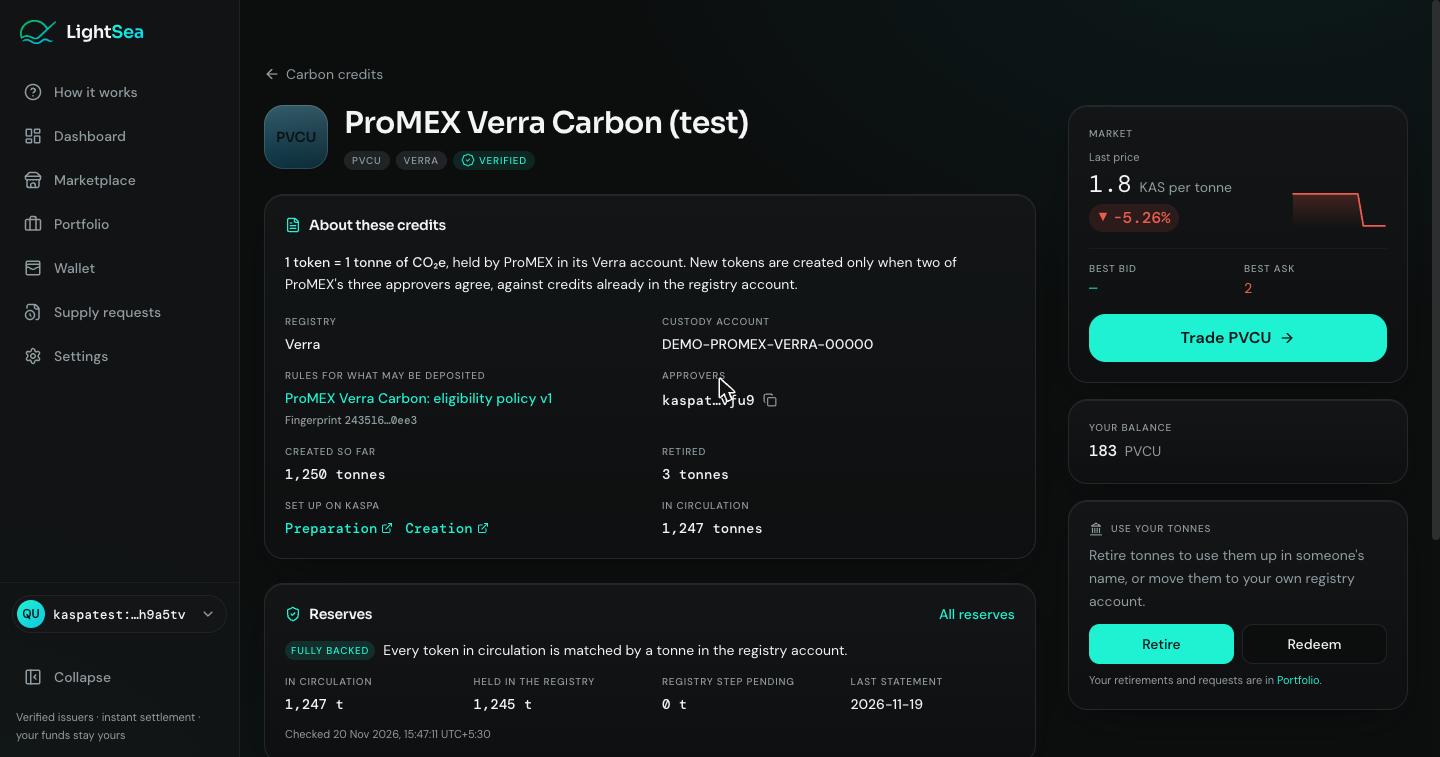
Open the token's trade page, as in Guide 5:
- Open Marketplace.
- Click the token.
- Press Trade. The button names the token, for example Trade PVCU.
1. Fill in a sell
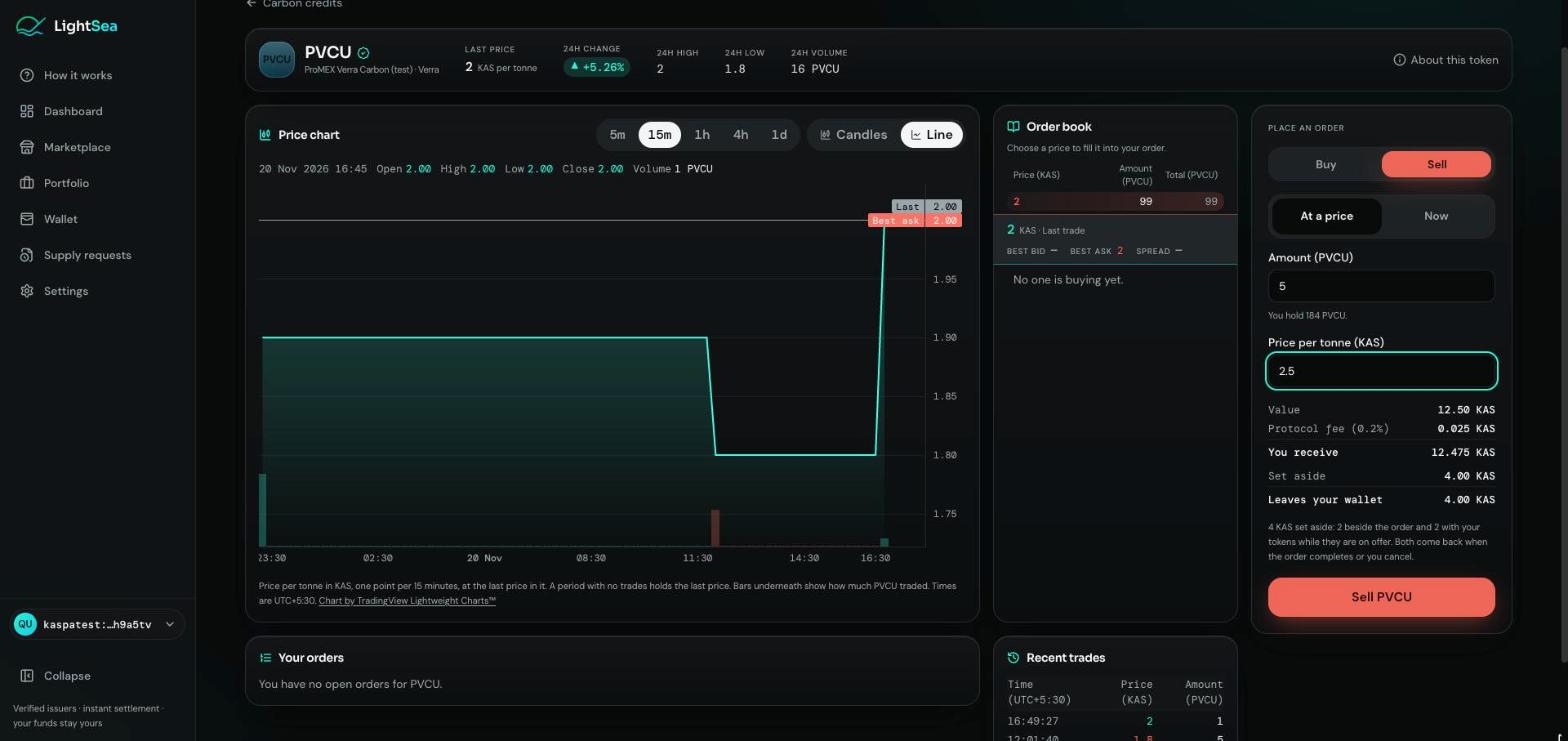
- In Place an order, choose Sell.
- Choose how it sells:
- Enter the Amount. The line under it, "You hold N", shows how many you can sell.
- With At a price, enter the Price per tonne (KAS).
- Read the totals under the boxes:
- Value: the amount × the price.
- Protocol fee (0.2%).
- You receive: the value less the fee.
- Set aside: 4.00 KAS: 2 KAS sits beside the order, and 2 KAS goes with your tokens while they are on offer. Both come back when the order completes or you cancel.
- Leaves your wallet: the KAS set aside. Your tokens go into the order separately.
2. Place it and approve in your wallet
- Press Sell PVCU (the button names your token).
- Your wallet opens. Approve the request.
A sell needs only this one approval.
3. Your order on the book
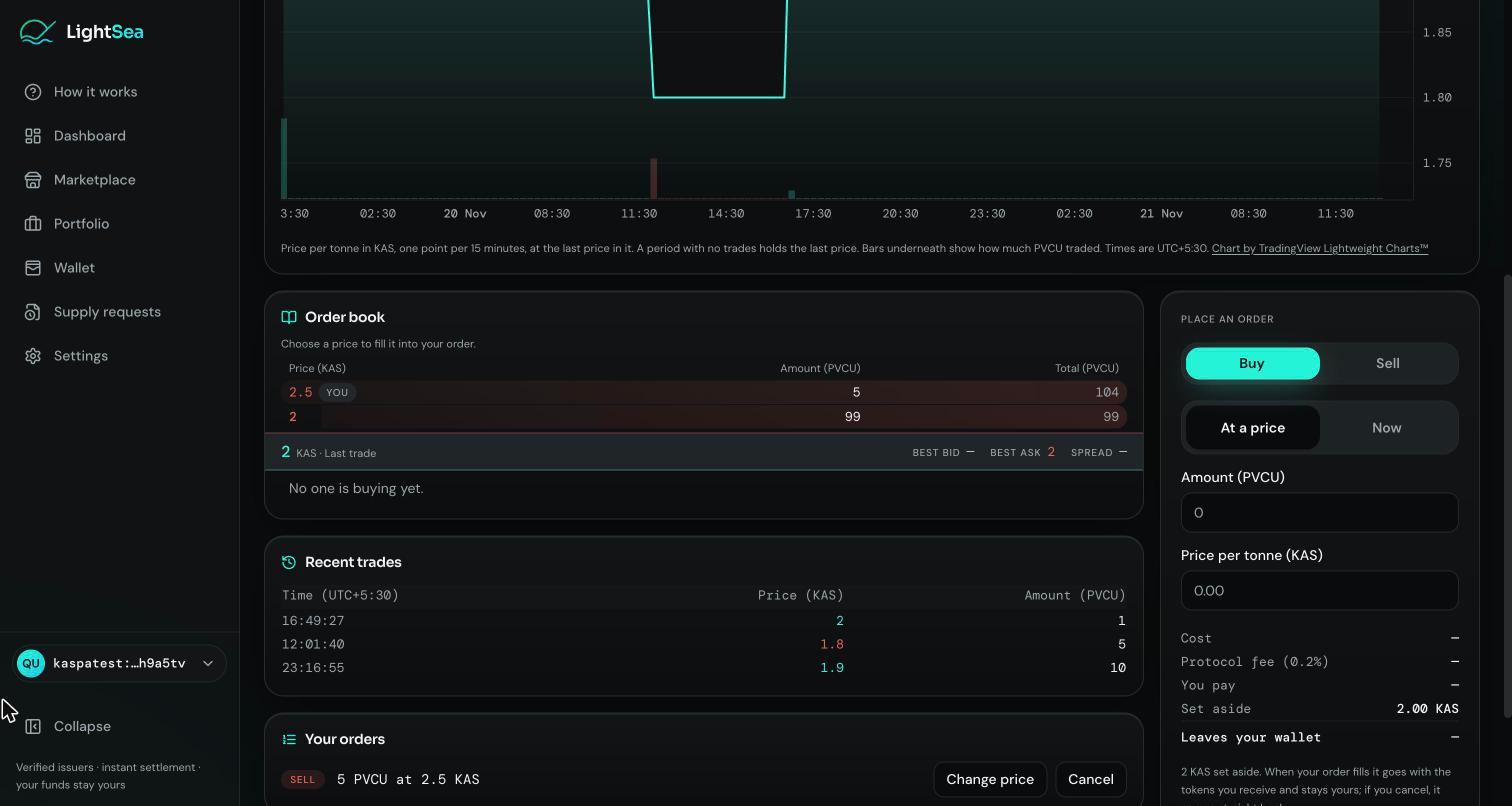
Within a few seconds, without reloading the page, your order shows in two places:
- the Order book, under Selling (the top half), marked YOU;
- Your orders, with Change price and Cancel buttons (Guide 7).
When a buyer takes your order, the KAS arrives in your wallet. You don't need to approve anything else.
Messages you may see
| Message | What it means | What to do |
|---|---|---|
| LightSea can't reach Kaspa right now, so nothing was sent. Try again in a minute. | Light Sea lost its connection to Kaspa. Nothing left your wallet. | Try again in a minute. Report it if it keeps happening. |
| You hold N | You asked to sell more than you hold (test TR-12). | Lower the amount. |
| (Now) No one is buying | Nobody wants to buy this token right now. | Use At a price, or wait. |