Before you begin
Who: two testers, each with their own wallet: a seller who owns a name, and a buyer. Network: Kaspa Testnet-10. Tests: NM-01 to NM-14, and DK-01 to DK-08 for dot.k. NM-15 to NM-18 cover automatic offers, which are switched off (see "Automatic offers", just after step 8).
You need:
- Chrome with Kastle on Testnet-10, connected to https://lightsea.io.
- Seller: a .kas name in your wallet. Register one on the KNS testnet site (Kaspa's name service); Light Sea doesn't create names. For dot.k, a dot.k name in your wallet.
- Buyer: enough test KAS for the price, the fee and about 1 KAS spare.
- With a .kas name, nobody holds the name or the KAS for you. The name stays in the seller's wallet until the buyer's payment moves it, in the same transaction.
Fees: 0.2% from the buyer and 0.2% from the seller. A side whose fee would be under 0.2 KAS pays none, so a name priced under 100 KAS pays no fee at all. The lowest price is 1 KAS. (dot.k differs; see Part C.)
1. Browse names (NM-01)
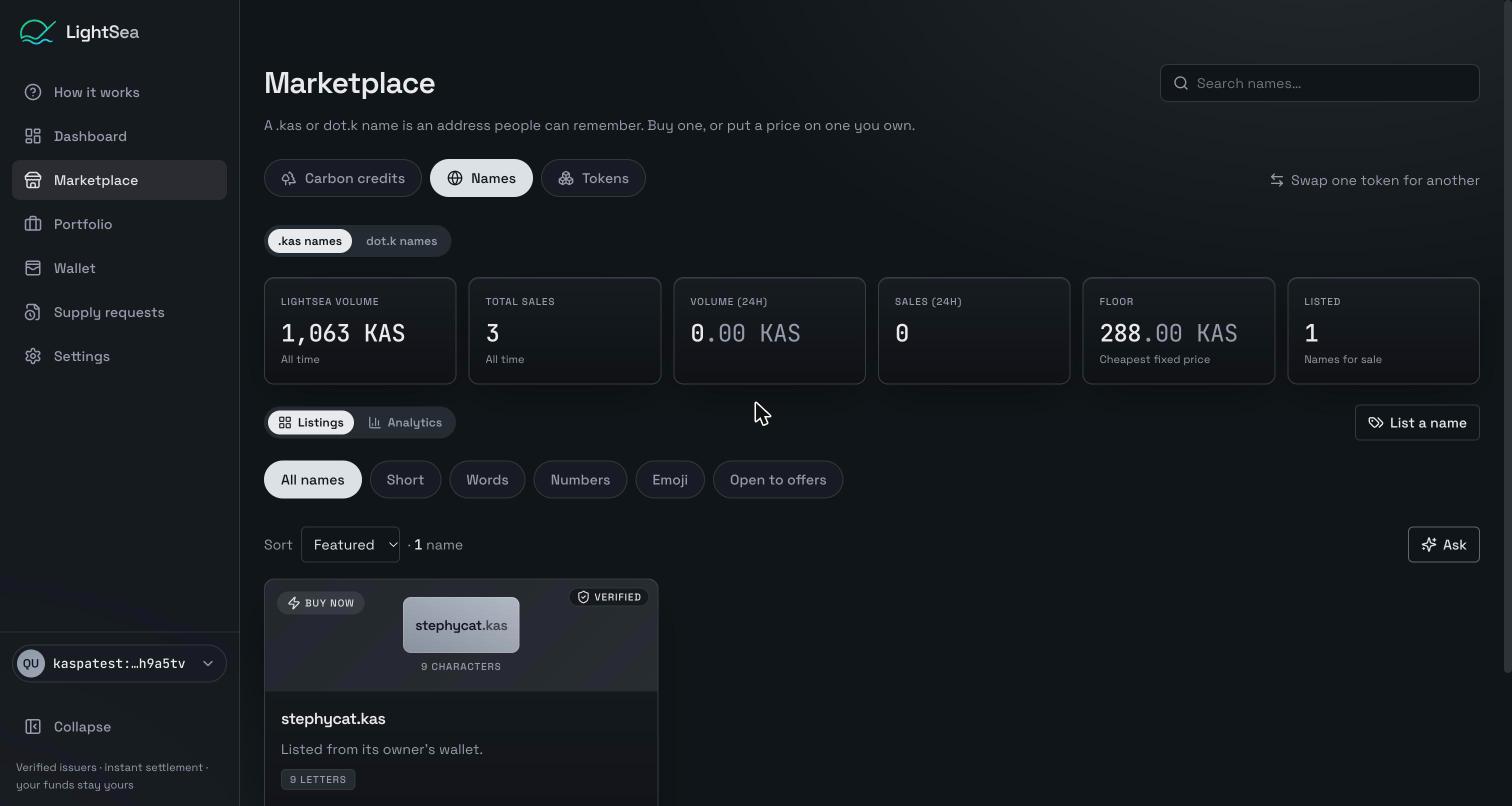
- Open Marketplace › Names.
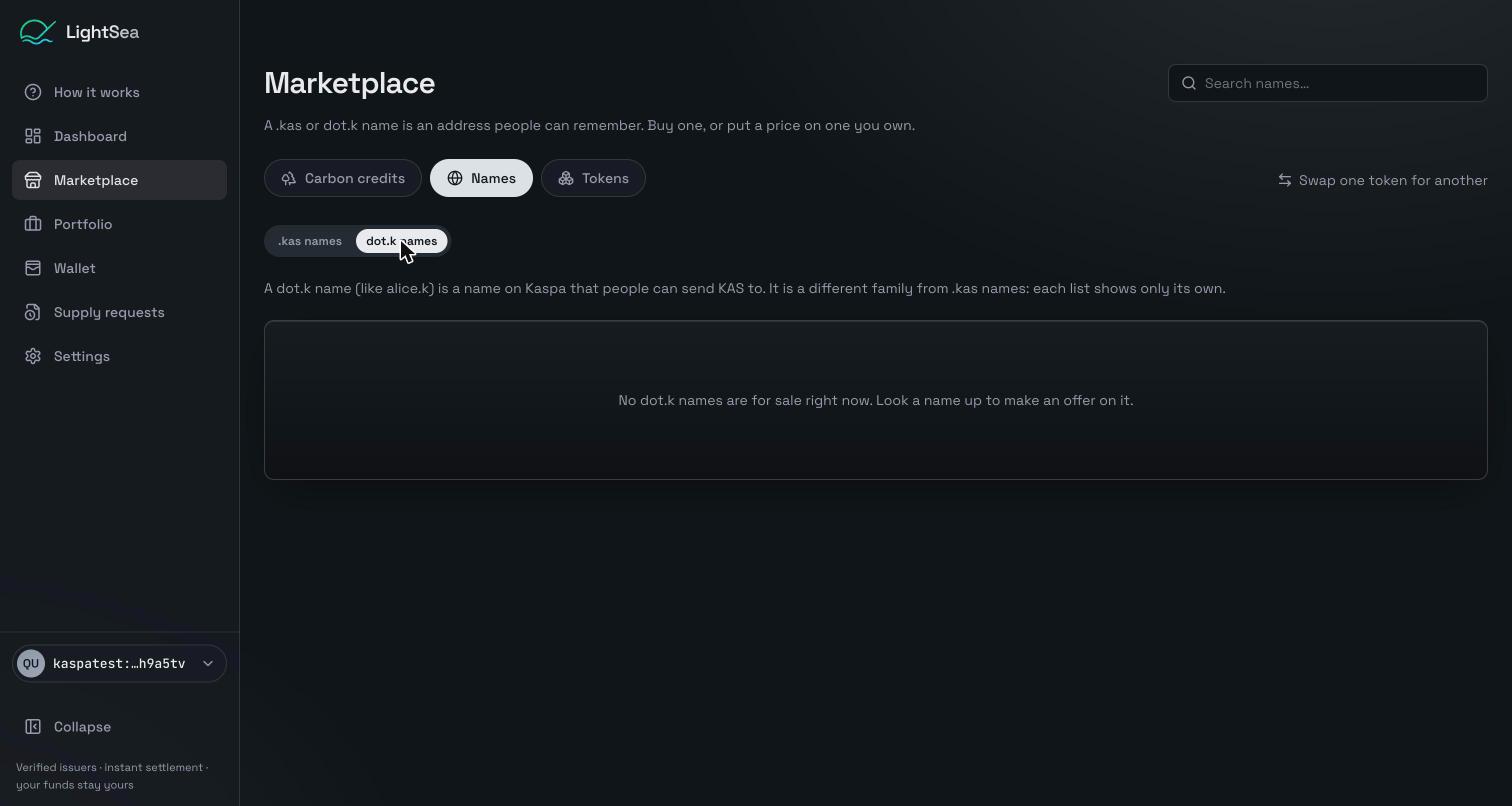
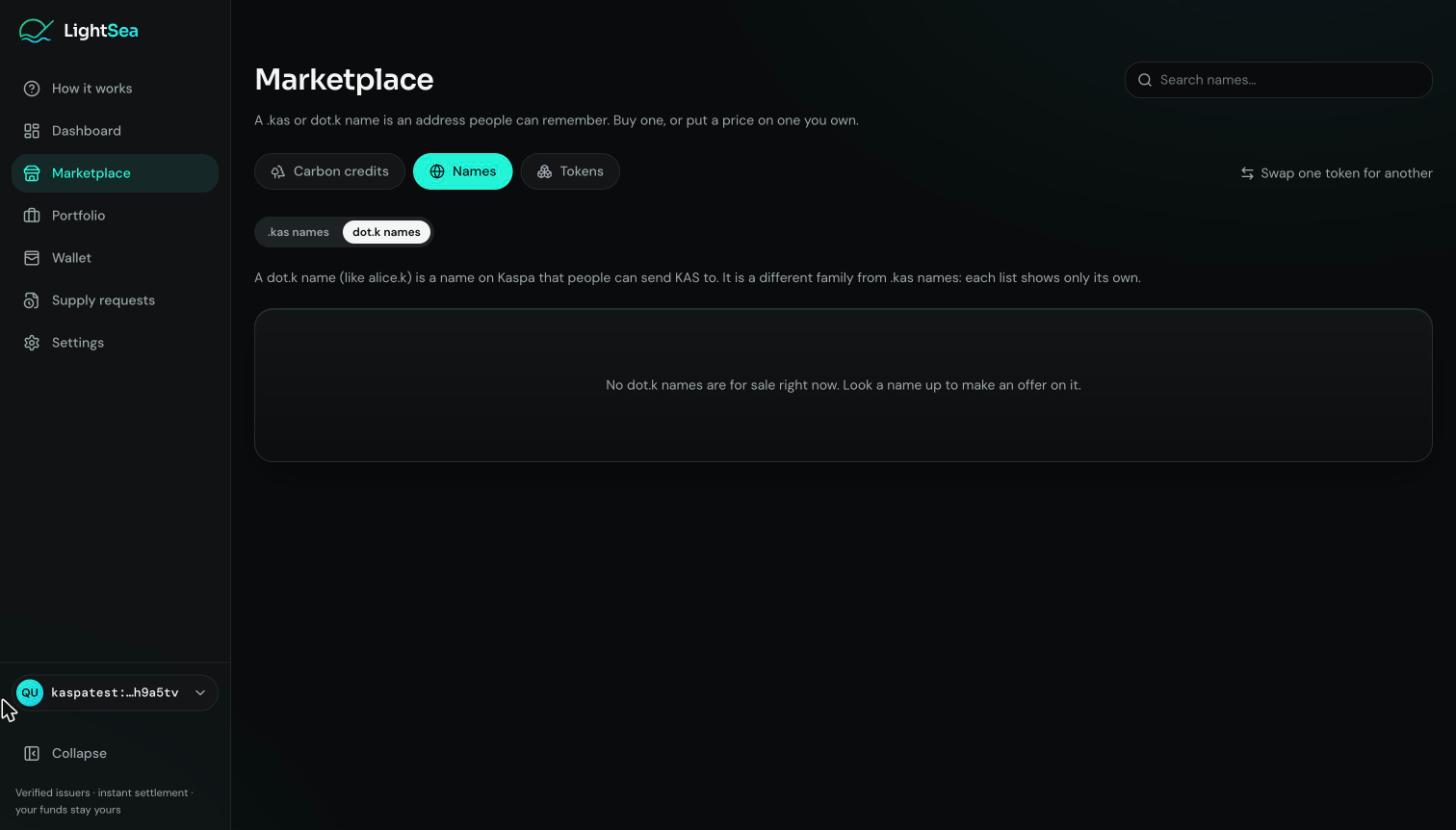
- Choose a list: .kas names or dot.k names.
What you see:
- A strip of figures: volume, sales, the floor (the cheapest fixed price) and how many names are listed.
- Listings, which you can filter (Short, Words, Numbers, Emoji, Open to offers) and sort.
- Analytics: sales over time.
- List a name (on the right): starts a listing.
- Search names... (top right): finds a name.
2. A name's page (NM-02)
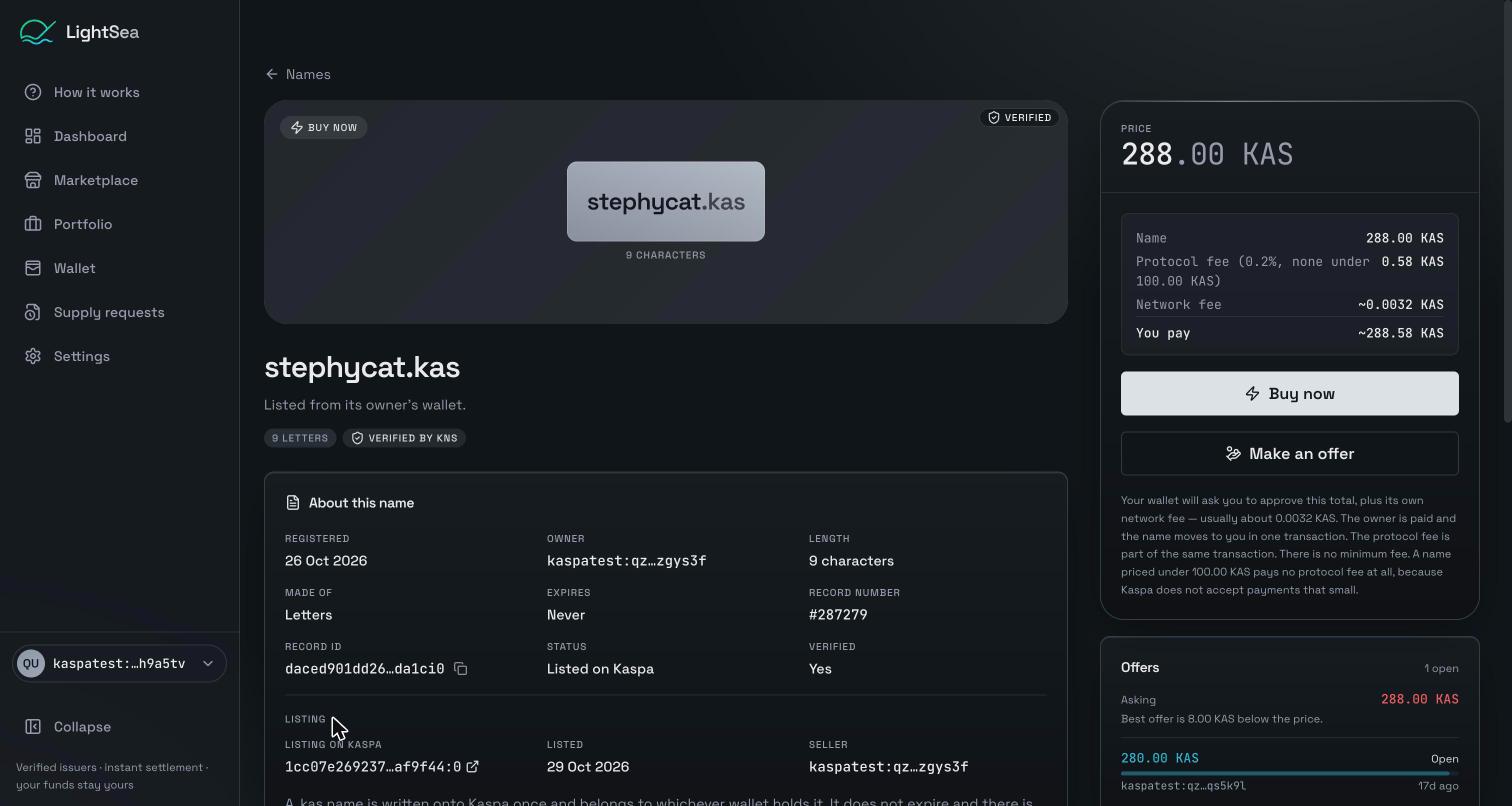
Click a name to open its page.
- Left side: the owner, when the name was registered, its record on Kaspa, the listing (with a link to see it on Kaspa) and what the name pays to.
- Right side: the price with the full breakdown (name, fee, network fee, You pay), then Buy now, Make an offer, and the open offers.
Part A · Selling a .kas name (seller's wallet)
3. List a name at a price (NM-03)
- Open Portfolio › Your names, or press List a name on the Names tab.
- Choose the name.
- Choose how to sell it:
- Buy now at a price: anyone can pay exactly that price.
- Open to offers: buyers make offers. You can set a floor, the least an offer can be.
- Read the sheet. It shows what you receive (the price less 0.2%) and the deposit.
- Approve in your wallet (how many times is explained below).
The deposit is one small coin already in your wallet, worth 0.21 to 1 KAS. If your wallet has no coin that small, you pay 0.3 KAS in first. The deposit comes back when the name sells or you delist.
How many approvals:
- One approval, usually. It puts the listing on Kaspa and signs your price, so a buyer can pay exactly that price and nothing else.
- Two approvals if your wallet has no coin of 1 KAS or less. The first pays in the 0.3 KAS deposit; the second puts the listing on Kaspa.
The name shows on the Names tab once Kaspa's name service sees the listing, usually within a minute. It stays in your wallet the whole time.
Part A · Selling a .kas name (seller's wallet)
4. Change the price (NM-04, NM-14)
On your name's page, press Change the price.
- Lower: one signature in your wallet. The listing stays where it is.
- Higher: two approvals. The listing is taken down and put up again at the new price, because a buyer could otherwise still pay the price you signed before. The name stays in your wallet throughout.
- Floor (on a listing open to offers): changing it moves nothing.
Part A · Selling a .kas name (seller's wallet)
5. Delist (NM-05)
Press Delist. It takes the name off sale in one transaction and returns your deposit, less the network fee. The name never left your wallet.
If a listing was never finished (you closed the second approval, or it ran out as a draft), the button reads Cancel the listing instead. It brings back anything the unfinished listing left on Kaspa, with one approval per step (fixed 21 Nov; test NM-13).
What to check
Check NM-05: the deposit is back in your KAS balance (the Wallet page shows the transaction), and the listing disappears from the Names tab.
What to check
NM-10: a buyer who still has the old page open and presses Buy should get a plain message that the name is no longer for sale. Nothing is sent.
Part A · Selling a .kas name (seller's wallet)
6. Accept an offer (NM-07)
Offers show on the name's page and in Portfolio.
- Accept: you sign once. Your signature lets that bidder only pay the offer amount. The bidder then has 7 days to pay. The name moves only when their payment does.
- Decline: closes the offer. Nothing was paid.
Part B · Buying a .kas name (buyer's wallet)
7. Buy now (NM-06)
- Open a name marked Buy now.
- Check the breakdown.
- Press Buy now. Light Sea first checks that the name is still the seller's and that the price matches. Your wallet asks you only after that check passes.
- Approve once in your wallet. One transaction pays the seller and moves the name to you, together: neither half can happen without the other.
The name shows under Portfolio › Your names within about a minute.
Part B · Buying a .kas name (buyer's wallet)
8. Make an offer (NM-07, NM-08)
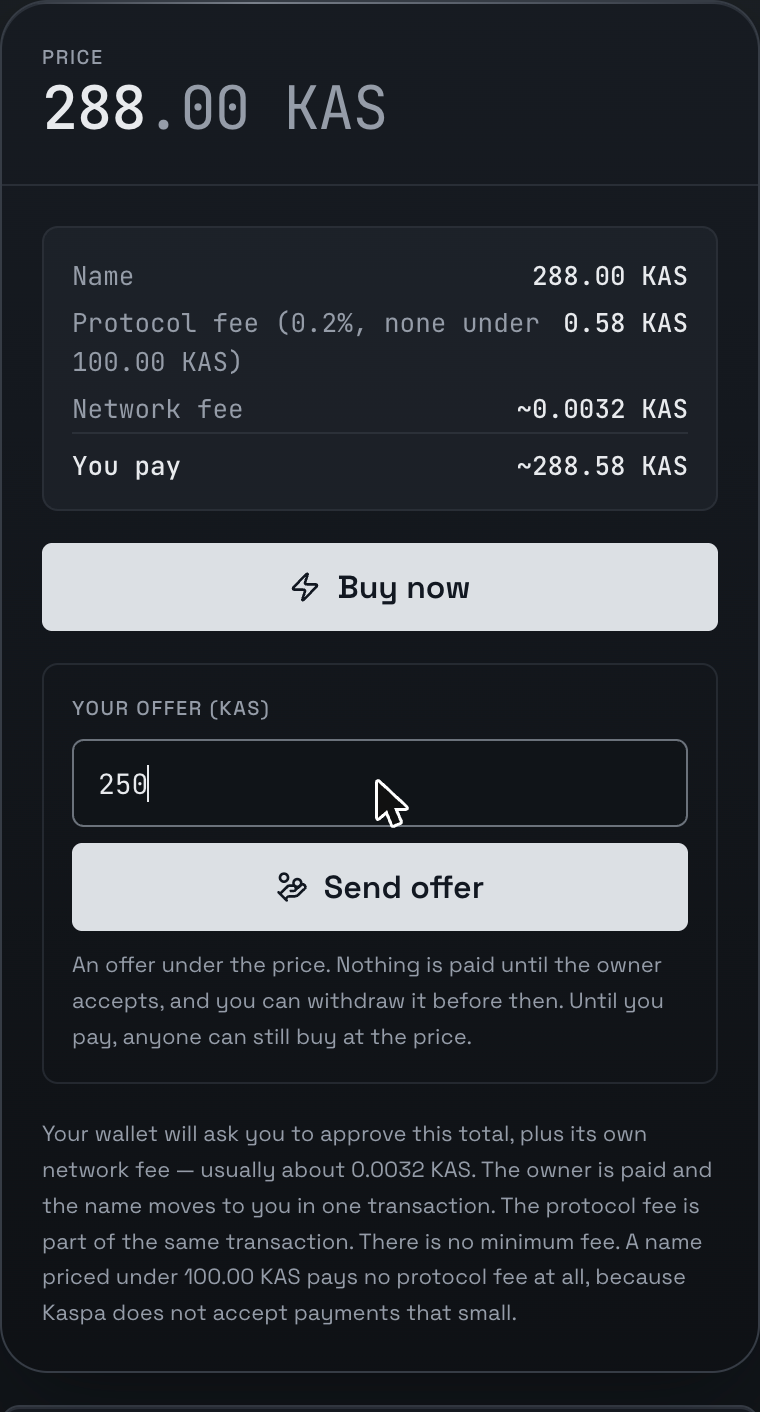
- Press Make an offer.
- Type an amount under the price.
- Press Send offer.
- The first time, your wallet asks for one signature. No KAS moves; the signature only ties the offer to you. If this wallet signed recently, it isn't asked again.
Nothing is paid until the owner accepts. Until then anyone can still buy at the price, and you can Withdraw your offer at any time.
When the owner accepts, the name's page and Portfolio say "The owner accepted your offer of … Pay it and the name moves to you in the same transaction." Press Pay and approve once. It completes like a Buy now.
What to check
NM-11: an offer on your own name is refused.
What to check
NM-09: today an open offer never expires on its own. Record what you see.
Part B · Buying a .kas name (buyer's wallet)
Automatic offers (switched off)
Part C · dot.k names
A dot.k name (like alice.k) is a different family from .kas: a name on Kaspa that people can send KAS to.
To find dot.k names:
- on Marketplace › Names, switch to dot.k names; or
- type lightsea.io/dotk/ followed by the name in Chrome's address bar.
Your own dot.k names show in Portfolio under dot.k names.
How dot.k differs from .kas:
| .kas | dot.k | |
|---|---|---|
| Where the name is while listed | stays in your wallet | held by the listing until it sells or you take it off sale |
| Deposit while listed | 0.21 to 1 KAS (usually 0.3) | 2 KAS, back when it sells or you delist |
| Fee | 0.2% each side; none when it would be under 0.2 KAS | 0.2% each side |
| Offers | only a record: the owner accepts, then the bidder pays | the buyer's KAS is locked on Kaspa with the offer (30 days by default); the owner accepts and is paid in one step |
| Ends on its own | no | a listing comes back after 90 days |
The app gives two warnings. Check both:
- A sale clears the name's records and subnames (the details and extra names attached to it). The new owner gets the name without them. Listing may also drop them; this isn't confirmed, so record what happens (test DK-08).
- While it's listed, payments sent to the name don't reach the owner's wallet.
The dot.k actions:
- List: set a price; one approval; 2 KAS deposit (test DK-01).
- Change price (test DK-02).
- Take off sale (test DK-05).
- Buy: one approval (test DK-06).
- Make an offer: one approval; your KAS is locked with the offer (test DK-03).
- Withdraw an offer (test DK-07).
- Accept an offer: one approval (test DK-04).
After each one, the page says "Sent. Kaspa usually confirms within a few seconds; this page updates once it has."
dot.k is live but hasn't yet been tested end to end on testnet. Nobody has yet run a full list, offer, accept and buy on testnet. Record every transaction ID you produce.